Posted by
Myschool Paul
13th February, 2018 | Comments
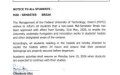
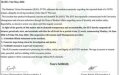
The management of Federal University of Technology, Owerri has released the registration details for all newly admitted Pre-Degree students of the university for the 2017/2018 Academic Session.
The details are as follows;
STUDENT PORTAL PROCESS FLOW FOR (PRE_DEGREE)
1. STUDENT PORTAL ACCOUNT VERIFICATION.
- Visit the University website “http://www.futo.edu.ng/”
- Click on the link “Portal”
- Click on “Pre-degree” and then “Confirm Admission Status”
- Enter your Application number.
- Click on submit button to confirm your admission status
- Enter your “email address” and click on “Update”
- Get the Account Notification slip bearing your login details with your Application Number as the default username and Password.
2. PROFILE DETAILS
a. Change password
- Enter your username and password and click on the Login
- Click on change password to change your password.
- Enter the default password and the new password, confirm the new password.
- Click change password
b. Profile
- Click the profile details menu
- Confirm and Print the Student profile information page
3. ACCEPTANCE FEES.
- Click on the link “Acceptance”, enter your email address and then submit to generate your payment invoice.
- Print your payment invoice containing the RRR code and proceed to any bank for payment.
- Alternatively, you can make payment using the online payment options with credit/debit cards such as Verve, Visa, MasterCards.
- Note: You must ensure a payment invoice is generated on the portal for the online payment option.
- After successful payment in a bank, return to the portal and log in with your account details to print FUTO your Acceptance receipt.
4. OTHER FEES PAYMENT
- Login to the portal with your username and password
- Click on “School Fees”, then submit to generate your payment invoice
- Print your payment invoice containing the RRR code and proceed to any bank for payment.
- Alternatively, you can make payment using the online payment options with credit/debit cards such as Verve, Visa, MasterCards.
Note: You must ensure a payment invoice is generated on the portal for the online payment option.
- After successful payment in bank, return to the portal and log in with your account details to print FUTO pre-degree fee e-receipt
- Print your Pre-Degree Registration number
5. HOSTEL ALLOCATION
- Click the Hostel menu, click on Generate to select Hostel Type
- Select the desired hostel and click the submit button to generate your payment invoice
- Print your payment invoice and proceed to FUTO MICRO FINANCE bank for payment.
- After successful payment in a bank, return to the portal, log in and print FUTO Hostel allocation e-receipt.
6. SIGN OUT
- Click the close menu, this takes you back to Login page.










Comments ({{ comment_count }})
Please wait...
Modal title
Report
Block User
{{ feedback_modal_data.title }}