WAEC and NECO CBT Software for Computers and Laptops - Candidates, Schools, Centres, Resellers - 100% Offline -Download Now
Your School's Whatsapp Group - Join Us now

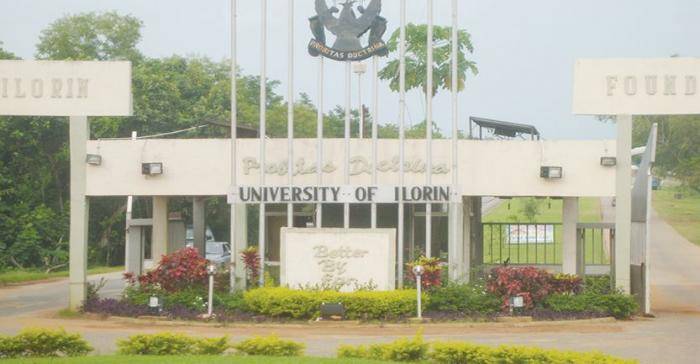
UNILORIN notice on resolving email/portal login problems

This is to inform all staff and students to Please do the needful as soon as possible to secure their University of Ilorin email.

Post-UTME Past Questions - Original materials are available here - Download PDF for your school of choice + 1 year SMS alerts
WAEC and NECO CBT Software for Computers and Laptops - Candidates, Schools, Centres, Resellers - 100% Offline -Download Now
Your School's Whatsapp Group - Join Us now

Procedures to create email

UNILORIN notice on resolving email/portal login problems

1. Create an alternate email

2. Input your most reliable phone number into the email account in settings.

Your School's Whatsapp Group - Join Us now
Post-UTME Past Questions - Original materials are available here - Download PDF for your school of choice + 1 year SMS alerts
WAEC and NECO CBT Software for Computers and Laptops - Candidates, Schools, Centres, Resellers - 100% Offline -Download Now

The steps below would be used to create alternative email

While your Unilorin email is opened,

1. Click on Settings

2. Click on Account

3. Click on Google Account settings

4. Click on personal Information

5. Click on Contact Info to input your alternate email and phone number.


How to recover email password

Open Google email sign-in page

Click on forgot password and follow instruction.

How to recover portal password

From the login page click on forget password and input your staff number for staff and matric number for students. It will send the password to your institutional email.

PORTAL ISSUES

It is advisable you use your institutional email to send a mail but if you are not using the institutional email kindly attach your Staff Identity card or school ID card or duly signed course form where applicable.

We encourage that you take the steps and in the unlikely event that it fails to resolve the problems, please send an email COMSIT HELPDESK EMAIL

 helpdesk.comsit@unilorin.edu.ng and always copy helpdesk.dcomsit@unilorin.edu.ng

If you need to visit COMSIT in person, that will be communicated to you from the helpdesk.

Related Posts

WAEC and NECO CBT App for Mobile Devices - Candidates, Schools, Centres, Resellers - 100% Offline -Download Now
Post-UTME Past Questions - Original materials are available here - Download PDF for your school of choice + 1 year SMS alerts
Post UTME Past Questions Agent

Comments ({{ comment_count }})

Please wait...

{{ settings.no_comment_msg ? settings.no_comment_msg : 'There are no comments' }}

Quick Questions

Ask Your Own Question
To get notifications when anyone comments,
Follow Comments

Post Comment

Please don't post or ask to join a "Group" or "Whatsapp Group" as a comment. It will be deleted. To join or start a group, please click here

{{ quote.posted_by.display_name }}
{{ settings.form_textarea_description }}
 
WAEC and NECO CBT App for Mobile Devices - Candidates, Schools, Centres, Resellers - 100% Offline -Download Now
Your School's Whatsapp Group - Join Us now
Post-UTME Past Questions - Original materials are available here - Download PDF for your school of choice + 1 year SMS alerts
Post UTME Past Questions Agent