Post UTME Past Questions Agent
WAEC and NECO CBT App for Mobile Devices - Candidates, Schools, Centres, Resellers - 100% Offline -Download Now

Official Link To Print JAMB Exam Slip For 2018 UTME Enabled

JAMB has now enabled the direct portal/link for the printing of  2018 UTME Exam Slip. This is especially for candidates who were unable to receive the exam slips via their email addresses.

Post UTME Past Questions Agent
Your School's Whatsapp Group - Join Us now
WAEC and NECO CBT Software for Computers and Laptops - Candidates, Schools, Centres, Resellers - 100% Offline -Download Now

If you have already received email from JAMB, you can see procedures for JAMB Exam Slip via email here, you may not need to reprint unless you wish to confirm if the details sent to your email are the same with the ones on JAMB portal.
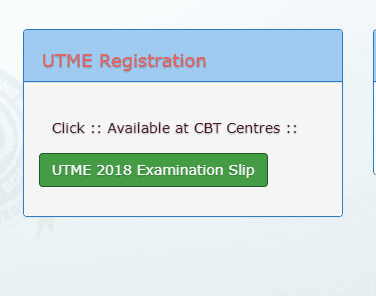
Official Link To Print JAMB Exam Slip For 2018 UTME Enabled

Please note that the Printing can only be done using a computer system with a Printer attached to it. You are to use your phone (DO NOT USE OPERA MINI) to only confirm if yours is available on JAMB portal before going to a Cyber Cafe to print it out. That is if you do not have a computer and Printer at home.

How to Reprint your UTME Exam Slip via JAMB Portal

1. Visit the official JAMB Portal at this link: http://www.jamb.org.ng/efacility/PrintExaminationSlip 

Post-UTME Past Questions - Original materials are available here - Download PDF for your school of choice + 1 year SMS alerts
WAEC and NECO CBT Software for Computers and Laptops - Candidates, Schools, Centres, Resellers - 100% Offline -Download Now
Post UTME Past Questions Agent

2. Once the page has fully loaded, Enter your JAMB Registration Number or Email address you used to register for the exam on the specified column.

3. Click on "Print Examination Slip", your exam slip will Pop Up on the screen.

4. If you already have your computer connected to a printer, just proceed to print your exam slip.

Note: You are to print 2 copies of the UTME Examination Slip in Full Colour. You will submit one at the Exam Hall and you have to keep one for reference.

You may encounter issues with the portal not loading or loading slowly, just keep trying until you have successfully printed your exam slip.

Post any problem you may encounter on the comment section for possible solutions.

Related Posts

WAEC and NECO CBT App for Mobile Devices - Candidates, Schools, Centres, Resellers - 100% Offline -Download Now
Your School's Whatsapp Group - Join Us now
Post UTME Past Questions Agent

Comments ({{ comment_count }})

Please wait...

{{ settings.no_comment_msg ? settings.no_comment_msg : 'There are no comments' }}

Quick Questions

Ask Your Own Question
To get notifications when anyone comments,
Follow Comments

Post Comment

Please don't post or ask to join a "Group" or "Whatsapp Group" as a comment. It will be deleted. To join or start a group, please click here

{{ quote.posted_by.display_name }}
{{ settings.form_textarea_description }}
 
Post UTME Past Questions Agent
Post-UTME Past Questions - Original materials are available here - Download PDF for your school of choice + 1 year SMS alerts
WAEC and NECO CBT App for Mobile Devices - Candidates, Schools, Centres, Resellers - 100% Offline -Download Now
WAEC and NECO CBT Software for Computers and Laptops - Candidates, Schools, Centres, Resellers - 100% Offline -Download Now
