Your School's Whatsapp Group - Join Us now
WAEC and NECO CBT Software for Computers and Laptops - Candidates, Schools, Centres, Resellers - 100% Offline -Download Now

LAUTECH Acceptance Fee Payment and Registration Procedure, 2017/2018

This is to inform candidates admitted into Ladoke Akintola University of Technology, Ogbomoso in the 2017/2018 Academic Session that they can now proceed to pay their Acceptance Fee and complete online Registration.

Post UTME Past Questions Agent
Your School's Whatsapp Group - Join Us now
WAEC and NECO CBT App for Mobile Devices - Candidates, Schools, Centres, Resellers - 100% Offline -Download Now

The Acceptance Fee and Medical Fee are expected to be paid before verification of academic records and filling of bio-data form can be done.
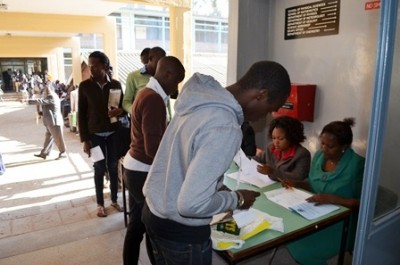
LAUTECH Acceptance Fee Payment and Registration Procedure, 2017/2018

To begin the process, candidates are to visit this link: http://www.portal.lautech.edu.ng/fresher/

Please read the instructions completely and  clicking on “Create an Account” on the General Menu on the right of the page.

Your School's Whatsapp Group - Join Us now
WAEC and NECO CBT Software for Computers and Laptops - Candidates, Schools, Centres, Resellers - 100% Offline -Download Now
WAEC and NECO CBT App for Mobile Devices - Candidates, Schools, Centres, Resellers - 100% Offline -Download Now

After successfully creating an account, you will be directed to the Login page to pay the necessary fees.

Payment Summary:

Read below the summary of payments for Freshers for 2017/2018 session

2017/2018 Fees
Acceptance Fee: =N= 30,000:00
Tuition Fee: =N= 120,000:00 (Oyo State and Osun State Only)
  =N= 150,000:00 (Other States)
Student Union Fee: =N= 750:00

All Fees are payable via the LAUTECH InterSwitch Payment Integration Platform. Note that a bank transaction charge of =N=300:00 per transaction apply for all InterSwitch payments. You will be redirected to interswitch gateway to make payments for all fees. Prepare for making your payment online by having the following information handy:

An Interswitch enabled Debit/ ATM card, specifying the “Card Number”, “Expiry Date”, “Card PIN” and “CVV2 Code”. Ensure that you have sufficient funds in the card specified above, to cater for your fees as quoted in this section.

The following documents should be submitted at the Academic Affairs unit to complete your Academic Verification:

  • LAUTECH admission letter printed on the school website
  • JAMB admission letter printed on the JAMB website
  • Acceptance fee receipt
  • JAMB/UTME Result Slip
  • PDS Result Slip
  • O’ Level Result (s) with new NECO/WAEC/NABTEB scratch card (s)
  • OND/HND/First degree Result (Direct Entry Candidates only)

To complete your Biodata Form, the following information will be needed:
– Basic Contact Information including Surname, Othernames, Email, Phone and Contact Address
– Academic Records, like O-level results and UTME/ PDS results
– Scanned Copy of Passport Photograph (20kb size limit for each) which could be rejected if found blurry or unsatisfactory.

REG/ADM/003

Related Posts

Your School's Whatsapp Group - Join Us now
WAEC and NECO CBT Software for Computers and Laptops - Candidates, Schools, Centres, Resellers - 100% Offline -Download Now
WAEC and NECO CBT App for Mobile Devices - Candidates, Schools, Centres, Resellers - 100% Offline -Download Now

Comments ({{ comment_count }})

Please wait...

{{ settings.no_comment_msg ? settings.no_comment_msg : 'There are no comments' }}

Quick Questions

Ask Your Own Question
To get notifications when anyone comments,
Follow Comments

Post Comment

Please don't post or ask to join a "Group" or "Whatsapp Group" as a comment. It will be deleted. To join or start a group, please click here

{{ quote.posted_by.display_name }}
{{ settings.form_textarea_description }}
 
Your School's Whatsapp Group - Join Us now
Post UTME Past Questions Agent
Post-UTME Past Questions - Original materials are available here - Download PDF for your school of choice + 1 year SMS alerts
WAEC and NECO CBT App for Mobile Devices - Candidates, Schools, Centres, Resellers - 100% Offline -Download Now
WAEC and NECO CBT Software for Computers and Laptops - Candidates, Schools, Centres, Resellers - 100% Offline -Download Now
Marketplace
Post-UTME Past Questions - Original materials are available here - Download PDF for your school of choice + 1 year SMS alerts
WAEC and NECO CBT Software for Computers and Laptops - Candidates, Schools, Centres, Resellers - 100% Offline -Download Now
WAEC and NECO CBT App for Mobile Devices - Candidates, Schools, Centres, Resellers - 100% Offline -Download Now
Your School's Whatsapp Group - Join Us now