Post-UTME Past Questions - Original materials are available here - Download PDF for your school of choice + 1 year SMS alerts
WAEC and NECO CBT Software for Computers and Laptops - Candidates, Schools, Centres, Resellers - 100% Offline -Download Now

FUDutsin-ma Registration Guidelines for Second Semester 2014/2015

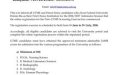
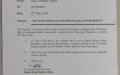
The Senate of Federal University Dutsin-ma, has approved that academic activities for second semester 2014/2015 academic session commence on Monday 26th Jan, 2015.

Post-UTME Past Questions - Original materials are available here - Download PDF for your school of choice + 1 year SMS alerts
WAEC and NECO CBT Software for Computers and Laptops - Candidates, Schools, Centres, Resellers - 100% Offline -Download Now
Your School's Whatsapp Group - Join Us now

Registration for Returning Students commences on Monday 26th Jan - Wednesday 28th Jan, 2015.

Late Registration will be from Thursday 29th Jan - Wednesday 11th Feb, 2015.

Lectures for the semester will commence fully on Thursday 29th Jan, 2015.

Post-UTME Past Questions - Original materials are available here - Download PDF for your school of choice + 1 year SMS alerts
Your School's Whatsapp Group - Join Us now
Post UTME Past Questions Agent

Add/ Drop Period will be from Thursday 29th Jan - Friday 20th March, 2015.

ONLINE REGISTRATION PROCEDURE FOR SECOND SEMESTER 2014/2015 ACADEMIC SESSION

Go to your department to confirm the approved number/combination of courses for the given semester.

Log in to http://portal.fudutsinma.edu.ng, and do the following:

Next, Click on “My Modules”

Then Click on “Course Outline”

Then Select “View” on the appropriate Semester Registration

You will find a list of Courses to be registered. Ensure that you select the check box next to each course you desire to register.

Click on “Register” below

Finally, click “Confirm” to confirm your registration. (Note that after confirmation, you can no longer make changes to your course selection).

After confirmation, Logout

After Semester Registration, Check back after 24hrs to see if your Registration has been approved.

Once approved, Go to your department and collect a signed copy of your registration form and preserve a copy for yourself.

Note:
All students are advised to STRICTLY adhere to this schedule.

Related Posts

Post UTME Past Questions Agent
Post-UTME Past Questions - Original materials are available here - Download PDF for your school of choice + 1 year SMS alerts
WAEC and NECO CBT App for Mobile Devices - Candidates, Schools, Centres, Resellers - 100% Offline -Download Now

Comments ({{ comment_count }})

Please wait...

{{ settings.no_comment_msg ? settings.no_comment_msg : 'There are no comments' }}

Quick Questions

Ask Your Own Question
To get notifications when anyone comments,
Follow Comments

Post Comment

Please don't post or ask to join a "Group" or "Whatsapp Group" as a comment. It will be deleted. To join or start a group, please click here

{{ quote.posted_by.display_name }}
{{ settings.form_textarea_description }}
 
Post-UTME Past Questions - Original materials are available here - Download PDF for your school of choice + 1 year SMS alerts
Your School's Whatsapp Group - Join Us now
Post UTME Past Questions Agent
WAEC and NECO CBT Software for Computers and Laptops - Candidates, Schools, Centres, Resellers - 100% Offline -Download Now
WAEC and NECO CBT App for Mobile Devices - Candidates, Schools, Centres, Resellers - 100% Offline -Download Now
Marketplace
Post-UTME Past Questions - Original materials are available here - Download PDF for your school of choice + 1 year SMS alerts
Post UTME Past Questions Agent
WAEC and NECO CBT Software for Computers and Laptops - Candidates, Schools, Centres, Resellers - 100% Offline -Download Now
WAEC and NECO CBT App for Mobile Devices - Candidates, Schools, Centres, Resellers - 100% Offline -Download Now