WAEC and NECO CBT Software for Computers and Laptops - Candidates, Schools, Centres, Resellers - 100% Offline -Download Now
Post-UTME Past Questions - Original materials are available here - Download PDF for your school of choice + 1 year SMS alerts

FPNO HND CBT screening exercise for 2021/2022 session

This is to inform all candidates who applied for HND (Full Time) Programme into Federal Polytechnic, Nekede that the Computer-Based-Screening-Test has been
scheduled to hold on 1st and 2nd February, 2022.

Post-UTME Past Questions - Original materials are available here - Download PDF for your school of choice + 1 year SMS alerts
Your School's Whatsapp Group - Join Us now
WAEC and NECO CBT App for Mobile Devices - Candidates, Schools, Centres, Resellers - 100% Offline -Download Now

Candidates will be communicated on the day, venue and time of the screening test.
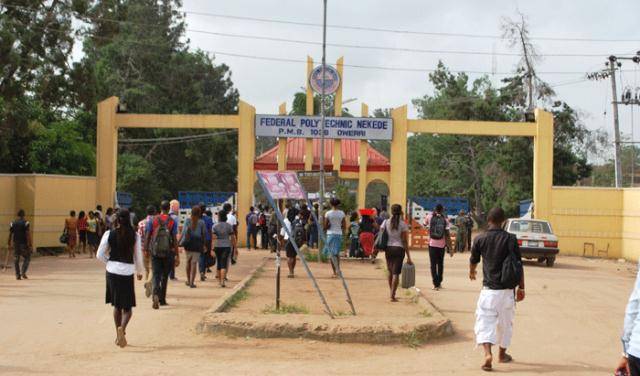
FPNO HND CBT screening exercise for 2021/2022 session

Method of Application

1. All candidates must first go to the School Portal www.fpno.edu.ng and click on “Application link” on the home page under students (HND).

WAEC and NECO CBT App for Mobile Devices - Candidates, Schools, Centres, Resellers - 100% Offline -Download Now
WAEC and NECO CBT Software for Computers and Laptops - Candidates, Schools, Centres, Resellers - 100% Offline -Download Now
Your School's Whatsapp Group - Join Us now

2. Submit your application number on the box provided, generate an invoice and print or copy out the invoice number, (you can do this on
your mobile phone).

3. Proceed to Federal Polytechnic Nekede Microfinance Bank or any bank of your choice and make a payment of Two Thousand Naira (N2,000.00)
on REMITA Platform, Account No. 0140468461017.

You can also choose to make your payment using your Verve, Visa, or Master Card. If you choose the card payment option, you will be asked to fill the card details for the payment to be processed immediately.

4, Return to the school portal www.fpno.edu.ng and complete your application process. Submit your data as requested and print out your card and acknowledgment Slip.

You will return to the portal immediately to print your receipt and acknowledgement slip.

5. All application procedures must be concluded on or before midnight of 31st January, 2022.

Related Posts

WAEC and NECO CBT App for Mobile Devices - Candidates, Schools, Centres, Resellers - 100% Offline -Download Now
Post UTME Past Questions Agent
WAEC and NECO CBT Software for Computers and Laptops - Candidates, Schools, Centres, Resellers - 100% Offline -Download Now

Comments ({{ comment_count }})

Please wait...

{{ settings.no_comment_msg ? settings.no_comment_msg : 'There are no comments' }}

Quick Questions

Ask Your Own Question
To get notifications when anyone comments,
Follow Comments

Post Comment

Please don't post or ask to join a "Group" or "Whatsapp Group" as a comment. It will be deleted. To join or start a group, please click here

{{ quote.posted_by.display_name }}
{{ settings.form_textarea_description }}
 
Post-UTME Past Questions - Original materials are available here - Download PDF for your school of choice + 1 year SMS alerts
WAEC and NECO CBT App for Mobile Devices - Candidates, Schools, Centres, Resellers - 100% Offline -Download Now
Your School's Whatsapp Group - Join Us now
WAEC and NECO CBT Software for Computers and Laptops - Candidates, Schools, Centres, Resellers - 100% Offline -Download Now
Post UTME Past Questions Agent
Marketplace
WAEC and NECO CBT App for Mobile Devices - Candidates, Schools, Centres, Resellers - 100% Offline -Download Now
Post-UTME Past Questions - Original materials are available here - Download PDF for your school of choice + 1 year SMS alerts
Your School's Whatsapp Group - Join Us now
WAEC and NECO CBT Software for Computers and Laptops - Candidates, Schools, Centres, Resellers - 100% Offline -Download Now