Post UTME Past Questions Agent
WAEC and NECO CBT Software for Computers and Laptops - Candidates, Schools, Centres, Resellers - 100% Offline -Download Now

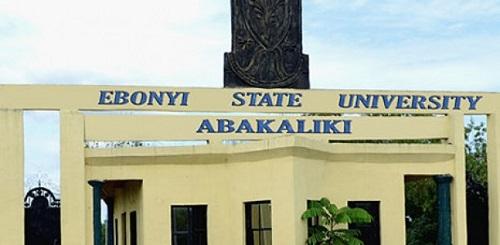
EBSU Post-UTME/DE 2022: cut-off mark, eligibility and registration details

This is to inform all candidates who made Ebonyi State University their first choice and those that chose other Institutions but are willing to change to EBSU, who score 140 and above in 2022/2023 Unified Tertiary and Matriculation Examination (UTME) to access our website and fill our Post UTME Form with full details of their credentials. Deadline is 1st October, 2022

Post UTME Past Questions Agent
Your School's Whatsapp Group - Join Us now
WAEC and NECO CBT Software for Computers and Laptops - Candidates, Schools, Centres, Resellers - 100% Offline -Download Now

The above is for the information of all concerned.

EBSU Post-UTME/DE 2022: cut-off mark, eligibility and registration details

MODE OF PAYMENT AND REGISTRATION PROCEDURE

Eligible candidates are required to pay a processing fee of N2,000 only.

Post UTME Past Questions Agent
Post-UTME Past Questions - Original materials are available here - Download PDF for your school of choice + 1 year SMS alerts
Your School's Whatsapp Group - Join Us now
  • To register, follow the steps outlined below:
  • Click on EBSU Post UTME link here: https://iportal.ebsu.edu.ng/
  • Click on Start Application
  • Click on STEP1: Click To Generate Payment Invoice
  • Fill the Generate Payment Invoice Form
  • Ensure you choose the right Application Form Category either POST UTME or DIRECT ENTRY
  • Ensure your “JAMB Registration Number” is correct
  • After Successful Generation Remita Retrieval Reference Number).
  • Proceed to any bank of your choice for payment with your Remita number OR pay with your Credit card, Master Card or Verve.
  • Return to the Application page and start STEP 2 by entering your “Remita Number”.
  • Proceed with the completion of the form
  • Submit your application.
  • Print out your acknowledgement slip.

Candidates are advised to get the official EBSU Post-UTME Past questions and answers as this will help them prepare adequately for the screening exercise. CLICK HERE to get yours.

For support:

E-mail: ictsupport@ebsu.edu.ng
Hotlines: 0806 408 7963

Download File
FIND FILE ATTACHED BELOW:
Download File

Related Posts

WAEC and NECO CBT Software for Computers and Laptops - Candidates, Schools, Centres, Resellers - 100% Offline -Download Now
Your School's Whatsapp Group - Join Us now
Post-UTME Past Questions - Original materials are available here - Download PDF for your school of choice + 1 year SMS alerts

Comments ({{ comment_count }})

Please wait...

{{ settings.no_comment_msg ? settings.no_comment_msg : 'There are no comments' }}

Quick Questions

Ask Your Own Question
To get notifications when anyone comments,
Follow Comments

Post Comment

Please don't post or ask to join a "Group" or "Whatsapp Group" as a comment. It will be deleted. To join or start a group, please click here

{{ quote.posted_by.display_name }}
{{ settings.form_textarea_description }}
 
WAEC and NECO CBT Software for Computers and Laptops - Candidates, Schools, Centres, Resellers - 100% Offline -Download Now
WAEC and NECO CBT App for Mobile Devices - Candidates, Schools, Centres, Resellers - 100% Offline -Download Now
Post UTME Past Questions Agent
Your School's Whatsapp Group - Join Us now
Post-UTME Past Questions - Original materials are available here - Download PDF for your school of choice + 1 year SMS alerts
Marketplace
WAEC and NECO CBT Software for Computers and Laptops - Candidates, Schools, Centres, Resellers - 100% Offline -Download Now
Post-UTME Past Questions - Original materials are available here - Download PDF for your school of choice + 1 year SMS alerts
Post UTME Past Questions Agent
WAEC and NECO CBT App for Mobile Devices - Candidates, Schools, Centres, Resellers - 100% Offline -Download Now