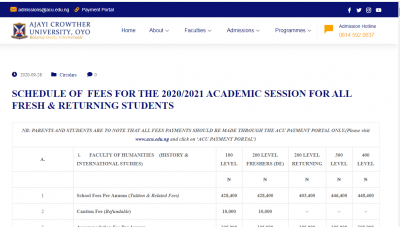
This is to inform all prospective and current students of the Ajayi Crowther University that the revised school fees schedule for the 2020/2021 academic schedule for various courses in undergraduate programmes has been released.


Click on this link to see the break down of fees for various faculties for both full and instalment payments https://acu.edu.ng/revised-schedule-of-fees-for-the-2020-2021-academic-session-for-all-fresh-returning-students/
HOW TO PAY YOUR FEES
Do not Pay to any individual, staff other than as stipulated below. The University will not be liable for any wrong payments to fraudsters.

a) Visit the University website (www.acu.edu.ng), locate (on top of the website) and click on ‘ACU Payment Portal‘.
b) Thereafter, login using your matric number as the username and password after choosing “student” and “Current Student” respectively.
c) Then click on the fee instalment you intend to pay or click on ‘Pay Desired Fee’ and enter amount in the space provided to pay either: (i) ‘ON LINE’ OR (ii) ‘AT ANY BANK’
d) To pay online, Click on ‘Pay ONLINE’ and follow the link to pay online. OR
e) To pay at any bank, simply Click on ‘PAY THROUGH BANK BRANCH’ and copy the RRR Number or print out the page containing RRR Number from the platform to pay your fee at any bank via remita link platform.
f) After successful transaction, print out the slip and submit at University Bursary to obtain the official receipt.
3. Pay ACU Student Assembly (ACUSA) fee directly to the association and collect receipt at their Secretariat
4. Payment of personal cheque is NOT acceptable. Hence, do not deposit any cheque into the University’s account
5. For enquiries and clarifications on the fees schedule, call officers in ACU Bursary on 08068753469 and 08036327145.
NB: PARENTS AND STUDENTS ARE TO NOTE THAT ALL FEES PAYMENTS SHOULD BE MADE THROUGH THE ACU PAYMENT PORTAL ONLY.(Please visit www.acu.edu.ng and click on ‘ACU PAYMENT PORTAL’)A.








Comments ({{ comment_count }})
Please wait...
Modal title
Report
Block User
{{ feedback_modal_data.title }}