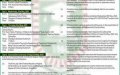
This is to invite candidates who sat for the 2016/2017 UTME examination and scored 180 and above for online screening in preparation for admission into the NCE and degree programmes mounted by the College. Direct Entry candidates are also expected to be screened online. Candidates that did not choose Adeyemi College of Education can also apply.


METHOD OF APPLICATION
HOW TO OBTAIN YOUR REGISTRATION PIN
EITHER


1. Visit any bank nationwide
2. Ask to use the eTtranzact Pay Outlet platform to pay for Adeyemi College of Education 2016/2017 Admission Screening Fees and pay the sum of #2,500.00
3. The bank will generate a PIN (Confirmation Order No.) for the processing of the application online.
OR
1. Visit http://aceondo.net
2. Click on “Pay Online”
3. Choose “2016/2017 Admission Screening Fee”, enter your JAMB Reg. No., choose “eTtranzact” and click “Pay Fees”
4. The portal will generate a PIN (Confirmation Order No.) for the processing of the application online.
HOW TO REGISTER ONLINE
1. Visit Visit http://aceondo.net
2. Click on “Apply Online”
3. Enter your PIN/ Confirmation Order No., select payment status as “Paid”.
4. Click “Apply” and fill the form correctly as editing is not allowed once application form is submitted.
5. Correctly enter your O’Level or NCE results as applicable.
6. Upload passport photograph not more than 100kb which must be JPEGor JPG with no eye glasses or veil
7. Upload the digital copies of scanned JAMB result slip, O’Level result(s), NCE result, (for Direct Entry), Birth Certificate, Local Government Area Identification.
8. Enter your personal email correctly as further correspondence shall be through the submitted email address
9. Confirm your entry.
10. Submit your application form.
11. Print your Online Application Form to ascertain that your registration is successful.
12. Wait for the publication of admission list by the College on its website.
IMPORTANT INFORMATION FOR DEGREE PROGRAMMES
Candidates and their guardians are to note that the College is affiliated to the Obafemi Awolowo University, Ile-Ife for its Degree programmes, and as such the fees regime for the programmes would not be too different from what obtains at Obafemi Awolowo University, Ile-Ife.
WARNING
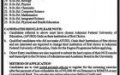
To checkmate the activities of fraudsters, applicants and their guardians are strongly advised to contact only the listed telephone numbers and/or visit the College admission portal: http://aceondo.net
DEADLINE FOR THE SCREENING EXERCISE: Sunday, 16th October, 2016.






Comments ({{ comment_count }})
Please wait...
Modal title
Report
Block User
{{ feedback_modal_data.title }}