Post-UTME Past Questions - Original materials are available here - Download PDF for your school of choice + 1 year SMS alerts
Post UTME Past Questions Agent

EKSU Requirements For Printing Of Admission Screening Schedule For 2016/2017

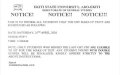
This is to inform 2016/2017 candidates for the admission screening exercise that they need to login on the portal and make the necessary payment to download ADMISSION SCREENING SLIP in order to know their SCREENING DATE.

Post UTME Past Questions Agent
Your School's Whatsapp Group - Join Us now
WAEC and NECO CBT Software for Computers and Laptops - Candidates, Schools, Centres, Resellers - 100% Offline -Download Now

The DEADLINE for the Payment to download the ADMISSION SCREENING SLIP is Friday, 2nd September, 2016.

To know your Screening Date, you are required to do the following:
----> a.) Generate a new TRANSACTION REFERENCE report by supplying necessary information. This will show the amount to be paid.
----> b.) Print the TRANSACTION REFERENCE report and take it to your selected bank for payment.
----> c.) After payment, use the new TRANSACTION REFERENCE to log on to enable you download and print the ADMISSION SCREENING SLIP which will show your SCREENING DATE and other information for your screening.

Note:You are required to bring the following for the screening in the Campus on your Screening Date.
1) ADMISSION SCREENING SLIP (Must show your SCREENING DATE and the TRANSACTIONS IDs used for Payments)
2) ALL YOUR RESULTS (SSCE, NECO )
3) UTME Original Result slip that nears candidates' passport photograph. If you do not have this document, click here to get yours

WAEC and NECO CBT App for Mobile Devices - Candidates, Schools, Centres, Resellers - 100% Offline -Download Now
Post-UTME Past Questions - Original materials are available here - Download PDF for your school of choice + 1 year SMS alerts
WAEC and NECO CBT Software for Computers and Laptops - Candidates, Schools, Centres, Resellers - 100% Offline -Download Now

Related Posts

Post UTME Past Questions Agent
WAEC and NECO CBT Software for Computers and Laptops - Candidates, Schools, Centres, Resellers - 100% Offline -Download Now
WAEC and NECO CBT App for Mobile Devices - Candidates, Schools, Centres, Resellers - 100% Offline -Download Now

Comments ({{ comment_count }})

Please wait...

{{ settings.no_comment_msg ? settings.no_comment_msg : 'There are no comments' }}

Quick Questions

Ask Your Own Question
To get notifications when anyone comments,
Follow Comments

Post Comment

Please don't post or ask to join a "Group" or "Whatsapp Group" as a comment. It will be deleted. To join or start a group, please click here

{{ quote.posted_by.display_name }}
{{ settings.form_textarea_description }}
 
WAEC and NECO CBT App for Mobile Devices - Candidates, Schools, Centres, Resellers - 100% Offline -Download Now
Post UTME Past Questions Agent
WAEC and NECO CBT Software for Computers and Laptops - Candidates, Schools, Centres, Resellers - 100% Offline -Download Now
Your School's Whatsapp Group - Join Us now
Post-UTME Past Questions - Original materials are available here - Download PDF for your school of choice + 1 year SMS alerts
Your School's Whatsapp Group - Join Us now
Post UTME Past Questions Agent
WAEC and NECO CBT Software for Computers and Laptops - Candidates, Schools, Centres, Resellers - 100% Offline -Download Now
WAEC and NECO CBT App for Mobile Devices - Candidates, Schools, Centres, Resellers - 100% Offline -Download Now